- R1D2 radar sensor for mobile applications
- Setup and support
- Device configuration
Easy device configuration for R1D2 radar ground speed sensor
The R1D radar ground speed sensor measures distance, velocity, and spatial position. To realize the maximum flexibility of the sensor, ifm's free software known as "Vision Assistant" is required for configuration. Download for free.
The following guides you through the setup process and explains the visualization of the Vision Assistant. Visit our FAQ section for more information.

| Description | |
|---|---|
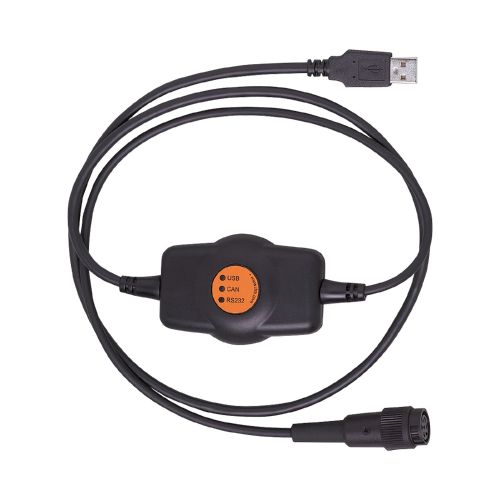 EC2112 |
CANfox for the connection of CAN devices to the USB interface of a PC |
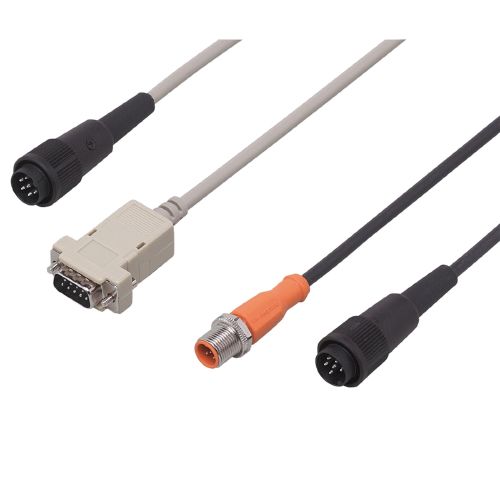 EC2113 |
Wired adapter cable for CAN or RS232 interface |
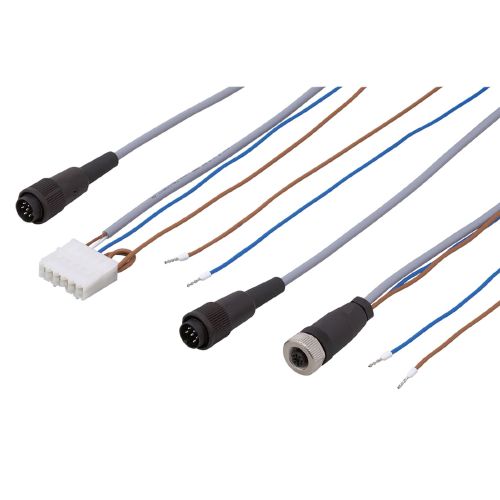 EC2114 |
Wired programming cable for controllers and displays. With ntegrated CAN bus terminating resistor in connector housing. Voltage supply via individual wires with end ferrules. |
Connect the sensor to your laptop via the CANfox and programming cable set shown above.
Open the software and click on "Find sensor".
In the "Found devices" popup window, click on the arrow next to the R1D sensor to connect.
If the sensor is not found automatically, click on "Manual connection". Then select "R1DXX1/R2DXX1 (CAN)" from the drop-down list and click on "Connect".
Upon initialization, the inclination instruction window will pop up.
- The current inclination information for your sensor's installation is displayed.
- If this installation is final, click on the box to set. Otherwise, close window for now.


Radar settings tab

2: Example of range / power filters

4: Graphical representation of distance smoothing

| Standard | Long range High velocity |
|
|---|---|---|
| Max distance | 20 m | 50 m |
| Distance accuracy | ± 5 mm | ± 15 mm |
| Max velocity | 21.6 km/h (13.4 mph) | 54 km/h (33.6 mph) |
| Speed resolution | 1.26 km/h (0.78 mph) | 1.37 km/h (0.85 mph) |
| Velocity resolution | 0.036 km/h (0.022 mph) | 0.144 km/h (0.089 mph) |
| Switching frequency | 20 Hz | 20 Hz |
CAN messaging is ideal for applications requiring robust and efficient communication between multiple devices. It offers:
- Differential signalling, making it resistant to electrical noise and ensuring reliable data transmission.
- Priority arbitration, alling high-priority messages to be sent without delay.
- Error handling, enhancing data integrity by detecting and correcting errors.
- Decentralized communication, making it flexible and scalable by not requiring a central controller.
