- LW radar level sensor
- Setup and support
- Device configuration
Device configuration
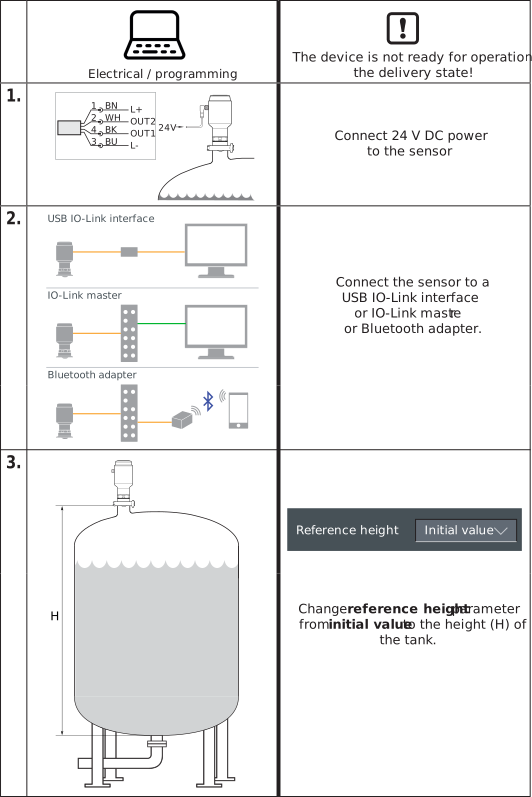
The following guides you through key programming steps for the LW level sensors. More details can be found in the operating instructions on the product datasheet page under the Downloads tab.
Quick start setup
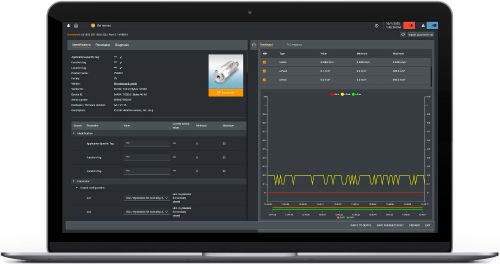
Setup with moneo | configure
moneo | configure is a user-friendly software package that enables easy programming and visualization of all ifm IO-Link enabled sensors (V1.0 and V1.1) as well as other manufacturers' IO-Link enabled sensors (V1.1). The software and license are downloaded using moneo | configure.
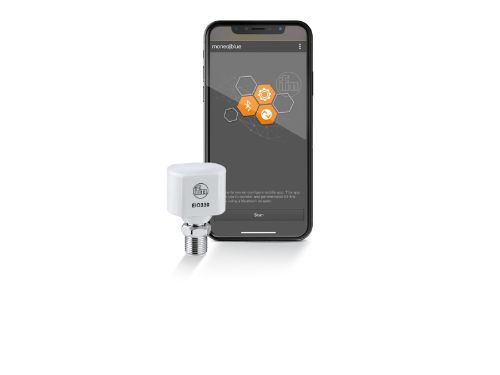
Setup with moneo | blue
moneo | blue is an app that runs on your Apple or Android smart phones and provides access to all parameters, process values and diagnostics from all sensors connected to an IO-Link master. The Bluetooth™ adapter, EIO330, connects to one port of the IO-Link master and the app can be downloaded free of charge from the Apple App Store or from Google play.
Commissioning support with ifm Vision Assistant
Vision Assistant is a software that provides support during commissioning. The LW radar sensor can be visualized and parameterized within Vision Assistant. Parameters such as the Reference distance, Bottom offset, and Upper null zone can be set directly in the software. The set parameters are written directly to the sensor and the software provides real-time feedback of the echoes and echo strength of the signals its evaluating.
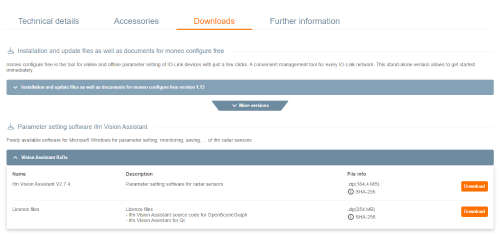
Where to find the Vision Assistant software
The Vision Assistant can be found directly on the LW2120 and LW2720 product page under "Downloads".
The following explains the key adjustable parameters that are most often used in typical applications. Refer to the operating instructions for details on all available parameters.
Basic parameters
uni -- Set the units of measure for parameterizaiton and display in configuration software
- [inch] = inches
- [m] = meters (factory default value)
Reference height
Distance between the sensor and the zero point. The zero point may not necessarily be the bottom of the tank.
- Setting range = 0.2...15 m
- Reference height does not have a factory default value. Reference height must be entered before device is operational.
A = lower / sealing edge of process connection
B = Reference height / measuring range
C = zero point / lower end of measuring range
Tank offset
Distance between the zero point and the actual tank bottom.
- Setting range = -10...10 m
A = lower / sealing edge of process connection
B = Reference height / measuring range
C = zero point / lower end of measuring range
D = tank offset value
Upper blind zone
Distance immediately below the sensor where echoes are ignored.This suppresses false echoes from mounting, spray balls or other obstructions.
- Setting range = 0...10 m
A = upper blind zone
B = false echo
C = 100% / 20 mA of the analog signal, below the upper blind zone but within the reference height
D = detection threshold
E = medium surface echo
Detection threshold
The detection threshold filters out noise and disturbing echoes from the medium surface echo. For most applications, adjustment is not required. The signal strength must be greater than the detection threshold to be recognized as "level".
- Setting range = 0...20,000 mV
Increase if echoes are received from obstructions.
Decrease if echoes from surface are weak due to foam or low dielectric media.
D = detection threshold
E = medium surface echo
Configuration examples
Mounting above plastic tanks
Depending on the thickness and type of material the sensor can see through the tops of plastic tanks. The radar signal is influenced by top of the tank so there can be a slight measurement deviation. With thin walls the impact is negligible, but thicker walls can have a negative impact. In these cases, it is best practice to set the Upper Blind Zone so that any reflections from the top of the tank are eliminated.