- IO-Link — main page
- Device configuration
- moneo configure
Configure IO-Link devices with moneo configure
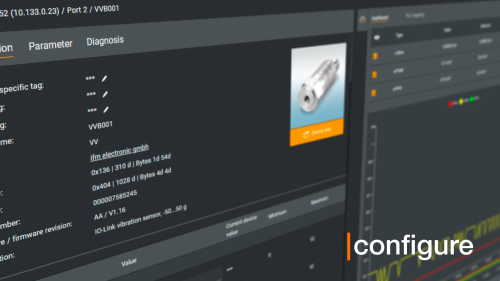
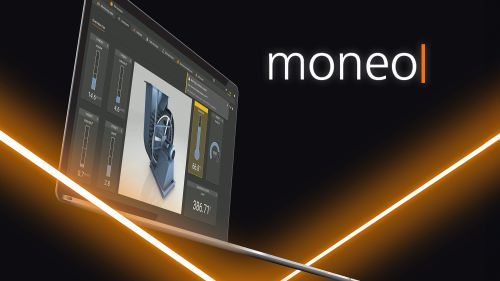
moneo configure is ifm’s free solution to parameterising IO-Link products. Part of ifm’s growing IIoT software platform known as moneo, moneo configure is installed on your Windows PC and provides a centralised tool to detect, parameterise, visualise and diagnose IO-Link devices, regardless of the manufacturer.
The intuitive user interface simplifies device configuration and reduces machine commissioning time. moneo blue wirelessly connects IO-Link devices on IOS or Android platforms via Bluetooth.


Configure IO-Link devices
- Locate all IO-Link devices connected to the network
- Configure IP addresses of ifm IO-Link masters
- Read and write parameters to all IO-Link sensors and devices
- Online and offline parameter changes of IO-Link sensors and devices
- Support for 3rd party IO-Link sensors and devices with IODD files

Visualisation
- Automatic dashboard generation without any user configuration
- Quickly view real-time values from IO-Link sensors and devices
- View short-term trend history

IODD management
- View local and online IODD catalogs
- Install updates
- Import IODD files

Parameter data record management
Easy setup and replacement of IO-Link devices with only one tool

Tool for all IO-Link devices
Manufacturer-independent device setup, online / offline, with integrated IODD management
Overview of all IO-Link devices in the network
Scanning of a complex IO-Link network with masters and devices

Dynamic cockpit
Parallel visualisation of the process values and parameters
Connecting devices to moneo configure with USB adapter
moneo configure connects devices via USB and Ethernet. Read more below or get more IO-Link setup and support information.
Connect with USB IO-Link interface AL1060
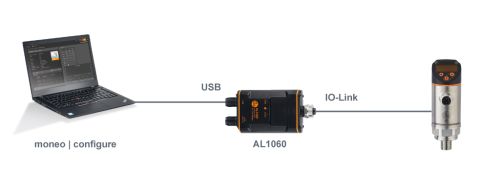

Advantages
- Sensor power via USB (cable included in ZZ1060)
- Easily portable

Disadvantages
- Only one device may be connected at a time
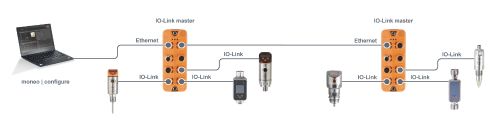
Advantages
- Connection to multiple masters and devices at a time
- Access devices without changing / disconnecting existing controls wiring
Disadvantages
- Separate 24 VDC power required for IO-Link master
After installing moneo and logging in, a selection of activation types appear automatically.
Select "moneo configure free licence activation" here.

Select "Free moneo configure SA" under the available licences.

After selecting the licence and clicking "Next", the activation process starts.

You're now ready to set up your IO-Link masters and devices.